How-to
Manage your profile
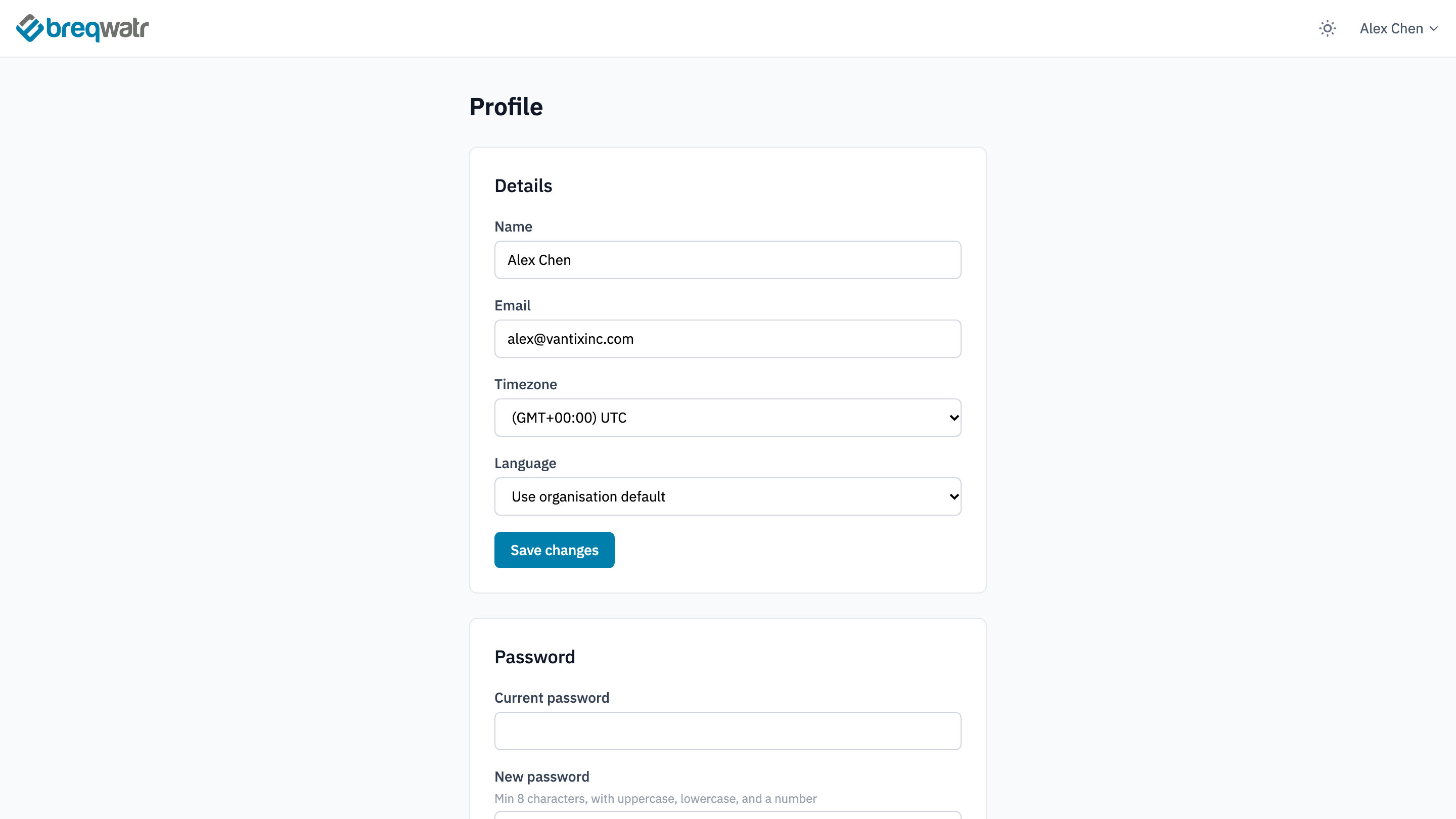
Change your name, email, timezone, language and password, see your organisation and role, and let Breqwatr support sign in as you while they help with a problem.
Your profile holds settings that belong to you, not to a project. To open it, open the account menu at the top right of the Breqwatr Cloud Portal (Strata) and choose My Account.
Before you start
- A signed-in account.
Change your details
- In Details, change any of:
- Name.
- Email. The portal emails the new address a confirmation link, and the change takes effect when you choose it.
- Timezone. The portal shows times in UTC, whichever timezone you choose.
- Language: English or Français (Canada), or Use organisation default.
- Choose Save changes.
Change your password
- In Password, enter your Current password.
- Enter the New password and Confirm new password. It needs at least 8 characters, with an uppercase letter, a lowercase letter and a number.
- Choose Change password. The portal shows "Password updated.", and you stay signed in.
If you've forgotten your password, see Reset your password.
See your organisation and role
Organisation shows the organisation you're working in and your role in it: owner, admin or member. Only the organisation's owner can change your role: see Projects, users and roles.
Let support sign in as you
When you're working with Breqwatr support on a problem, Support access lets them sign in to the portal as you, for a time you choose. It's off until you turn it on.
- In Support access, describe the problem in What's wrong? if you like. It helps support find it.
- Choose how long: 1 hour, 24 hours or 7 days.
The card shows "Support access is enabled until" with the time it ends, and the reason you gave. To end it sooner, choose Disable support access. Support access is logged.
Check it worked
- After Save changes or Change password, the portal confirms the change at the top of the page.
- Support access shows whether it's on, and until when.
Related
- Manage MFA: recovery codes, in Two-factor authentication on the same page.
- Key pairs: SSH Keys on the same page.
- Application credentials and clouds.yaml: Cloud credentials on the same page.
- A tour of the portal: everything on the profile page.