How-to
Manage projects
Create, rename and delete the projects in your organisation. Every resource, from instances to load balancers, lives in a project.
Projects keep workloads apart: separate projects for production and testing, or for each team, each with its own resources and quota. Projects, users and roles explains how they fit with organisations and roles.
Before you start
- To create or edit a project: owner or admin of the organisation. To delete one: owner.
- Complete your billing details and add a payment method before you create your first project: Billing → Settings → Billing Details and Payment Methods. Until then, Projects shows "Complete billing details to create projects" in place of New project.
Create a project
- In the Breqwatr Cloud Portal (Strata), open Projects under Organisation.
- Choose New project.
- Enter a Name, such as
web-prod, and, if you like, a Description. - Choose Create project.
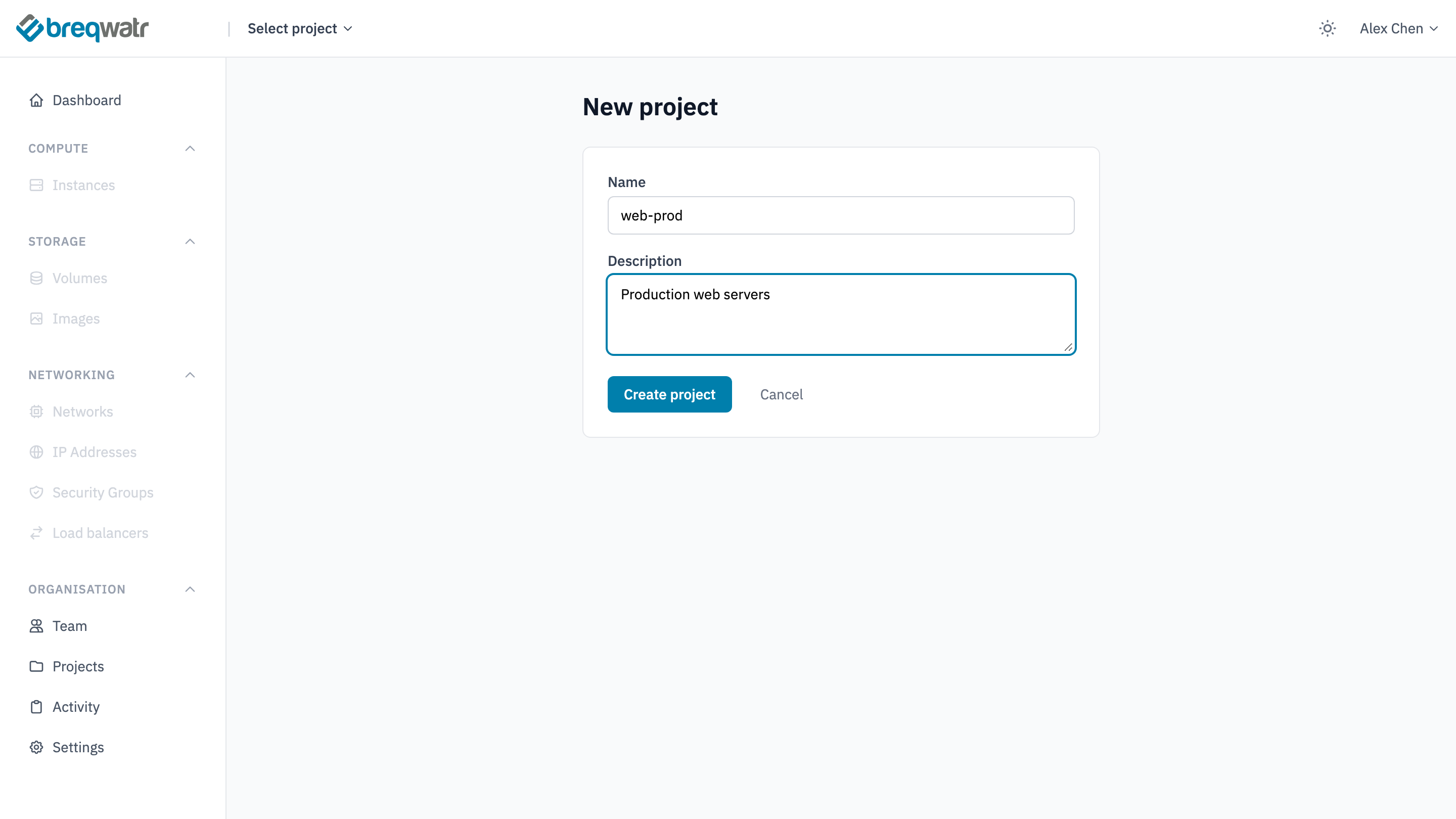
The portal shows "Project 'web-prod' created." and lists it as Active. Choose its name to work in it.
A new project comes with a default network, with a subnet and a router to the internet, and the default quota, in ca-central. The first time you switch the project to ca-east, the portal sets it up there the same way, showing "Setting up this region" until it's ready. Each region keeps its own resources and quota: see Quotas and limits.
Edit a project
- On Projects, choose Edit in the project's row.
- Change the Name or Description. Monthly budget (CAD) is optional: the portal emails when the project is projected to spend more than it by the end of the month.
- Choose Save changes.
Editing changes only these settings. The project's resources stay as they are.
Delete a project
Deleting a project deletes everything in it: its snapshots, networks and other resources. The portal refuses while the project has any instances or volumes, in either region, so delete those first.
- On Projects, choose Delete in the project's row.
- Type
CONFIRMand choose Delete project.
The project shows Deleting until it's gone. If it still has instances or volumes, the portal says how many and in which region, for example "Cannot delete project: 2 instance(s) still exist in ca-central."
Check it worked
- Projects lists the project with its status: Active while in use, Deleting while it's removed.
- Activity records projects created, edited and deleted: see Audit log.
Related
- Projects, users and roles: organisations, projects and roles.
- Operational excellence: separating environments.
- Spend efficiency: tracking spend by project.
- Quotas and limits: each project's quota in each region.