How-to
Instance snapshots
Capture an instance as an image you can launch new instances from, and remove the snapshot and what it holds when you're done.
Every instance boots from a volume, so an instance snapshot is an image that points at volume snapshots: one for each of the instance's volumes, on the same storage as the volumes. That makes it a quick way to copy or roll back an instance, but not a backup. For data that must survive a loss of the volumes, use volume backups.
Before you start
- An instance. For a consistent snapshot, stop writes first:
syncorfsfreezeon Linux, or a VSS-aware tool on Windows. Or shut the instance down.
Take a snapshot
The Breqwatr Cloud Portal (Strata) instance page's Snapshot action makes a snapshot of the instance's boot volume ("Create a snapshot of the boot volume"), not an instance snapshot image. It's listed under Snapshots, and Create volume on its row makes a new volume from it, which you can boot from with the CLI or OpenTofu.
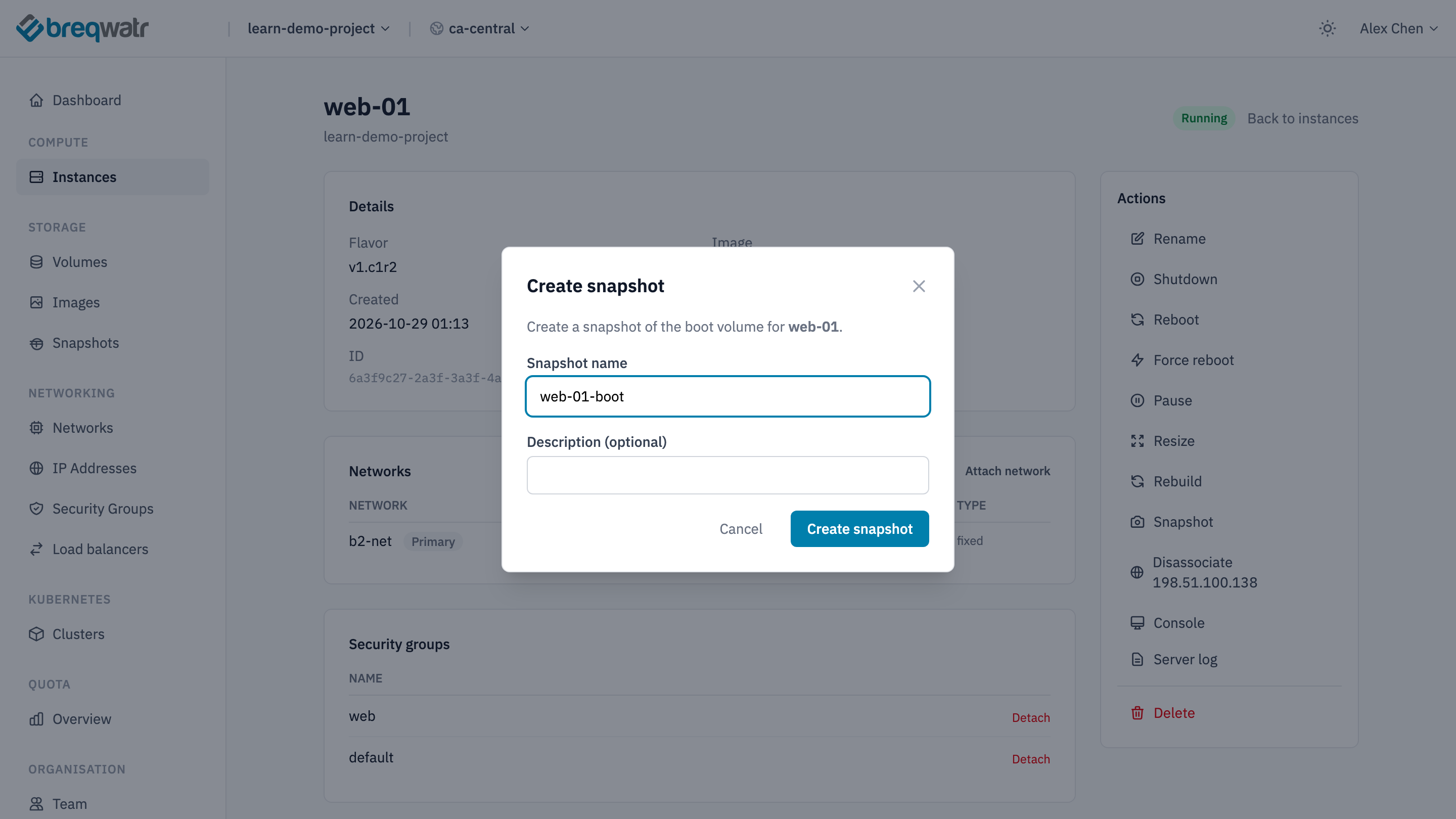
To make an instance snapshot image, use the CLI.
openstack --os-cloud <cloud-name> server image create --name web-01-snap --wait web-01
openstack --os-cloud <cloud-name> image show web-01-snap -c status -c size -c visibility
openstack --os-cloud <cloud-name> volume snapshot list
The image is active, with a size of 0 and visibility private. Its data is in the volume snapshots, each named "snapshot for web-01-snap".
OpenTofu has no resource that snapshots an instance. Take the snapshot with the CLI.
Launch from a snapshot
Use the snapshot as the image:
openstack --os-cloud <cloud-name> server create web-01-copy \
  --image web-01-snap --flavor v1.c1r2 --network app-net --key-name <key-name> \
  --wait
The new instance gets new volumes, made from the snapshot's volume snapshots, and they're deleted with it.
Delete a snapshot
Deleting the image doesn't delete its volume snapshots, so delete both:
openstack --os-cloud <cloud-name> image delete web-01-snap
openstack --os-cloud <cloud-name> volume snapshot list
openstack --os-cloud <cloud-name> volume snapshot delete <snapshot-id>
Delete each volume snapshot named "snapshot for web-01-snap".
A volume with snapshots can't be deleted, so an instance's root volume can stay behind after the instance is deleted, still holding storage. To find and remove one:
openstack --os-cloud <cloud-name> volume list --status available
openstack --os-cloud <cloud-name> volume snapshot list --volume <volume-id>
openstack --os-cloud <cloud-name> volume delete <volume-id>
Delete the image, then the volume's snapshots, then the volume.
Check it worked
openstack --os-cloud <cloud-name> image list --privateno longer lists the snapshot.openstack --os-cloud <cloud-name> volume snapshot listhas no snapshot named after it.
Related
- Boot from a volume: boot from a volume made from a snapshot.
- Reliability: snapshots, backups and recovering a workload.
- Rebuild, don't repair: rebuilding from code rather than from snapshots.