How-to
Invite teammates
Invite people into your organisation with the role they need, and accept an invitation someone has sent you.
Before you start
- To send invitations: owner or admin of the organisation.
- The email address of each person you invite.
Send an invitation
- In the Breqwatr Cloud Portal (Strata), open Team under Organisation.
-
In Invite a member, enter the Email and pick the Role:
- Member: creates, changes and deletes resources in the projects they can access.
- Admin: also invites and removes people, and creates and edits projects.
For what each role can do, see Manage member roles. An invitation can't make someone the owner: see Transfer ownership. 3. If the organisation restricts members to specific projects, a Project access list appears for a member. Tick the projects they need, or leave them all unticked for every current project. 4. Choose Send invite.
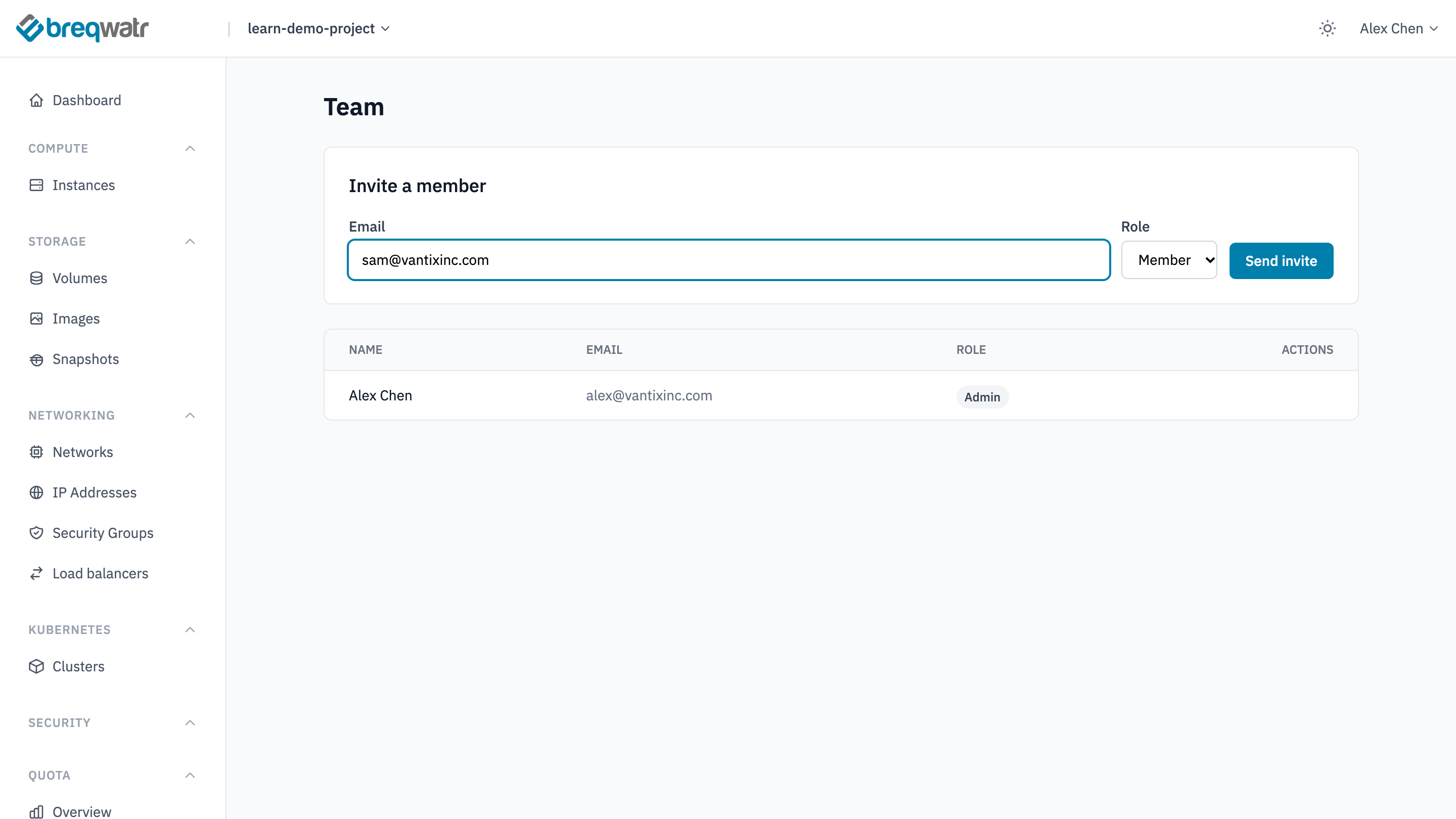
The portal emails the invitation, and lists it on Team, below the members, with when it expires. An invitation lasts 7 days. A person who's already a member, or already has an invitation waiting, can't be invited again.
The portal can't cancel an invitation: it stays listed until it's accepted or expires.
Accept an invitation
- Open the invitation email and follow its link.
- Choose Accept invitation.
- If you're not signed in, the portal sends you to sign in or, with no account for that address, to sign up. Sign up with the email address the invitation went to, and set up MFA as part of it: see Your account and MFA. The invitation is accepted once you're signed in.
Accepting adds whichever account is signed in, so accept while signed in to the account for the address the invitation went to, and don't forward the link.
If the invitation has expired, the page says so: ask for a new one.
Check it worked
- The sender's Team page lists the new member with their role, and the invitation is no longer listed below the members.
- The new member lands on the organisation's Team page, and can switch to it if they belong to more than one organisation.
Related
- Projects, users and roles: roles and projects.
- Manage member roles: change a role or remove someone.
- Organisation settings: restricting members to specific projects.